
An iPhone app for counseling and social work
Draw a genogram
with one finger
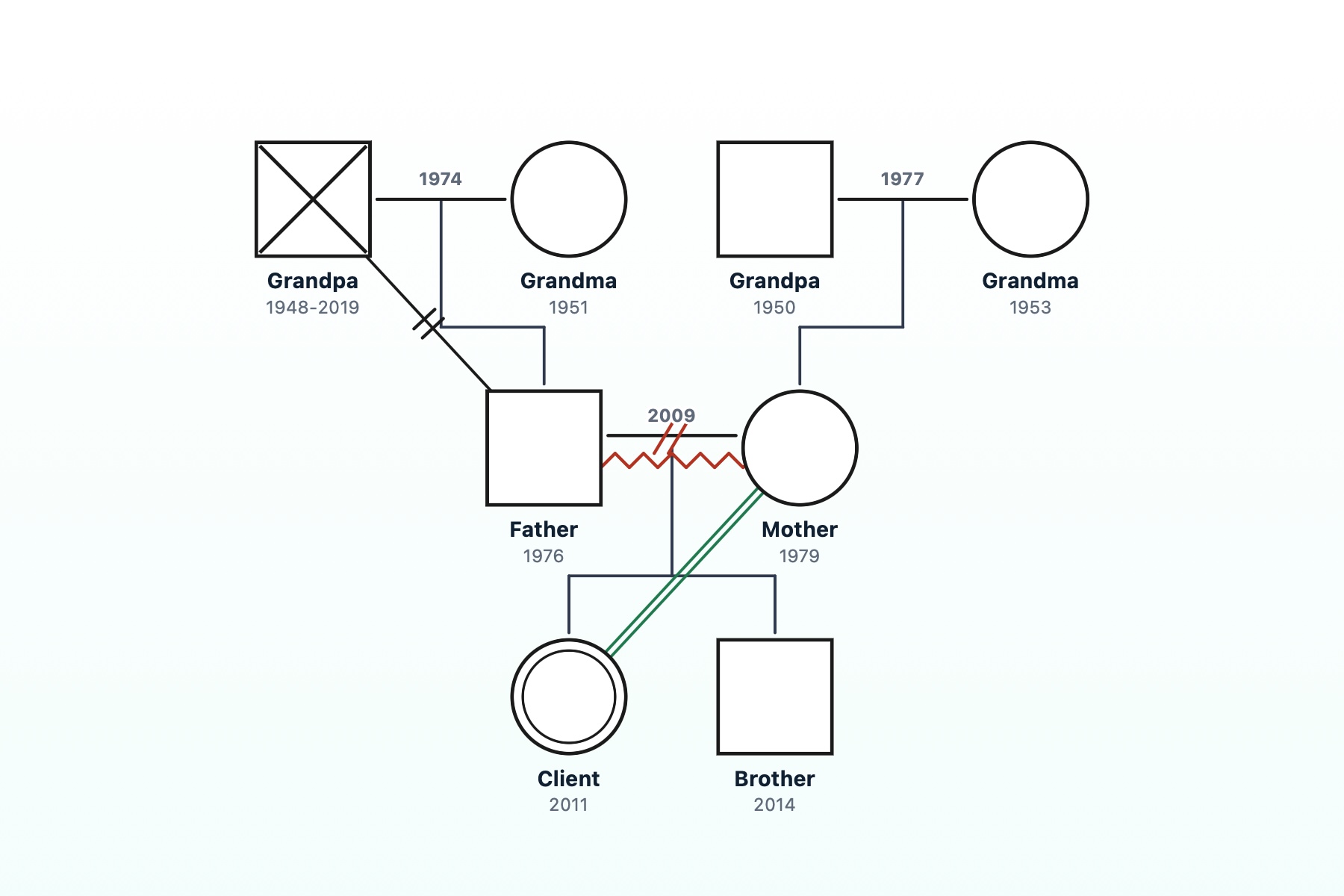
Tap a person to fill in details, drag to draw a link. Sketch a genogram during the session and save it to Photos as an image.
- iPhone only · iOS 17 or later
- Free
- No login
- No account or login
- Genogram never sent anywhere
- Drafts deleted after 24 hours
- Hidden in the app switcher
How it works
One screen, no tab switching
No jumping between form fields. You draw and edit right on the genogram.
Add people
Tap Add in the bottom menu and type a name right away. The first person becomes the client (IP). Or start fast with a couple, 3-person, or 4-person family template.
Fill in with the ring
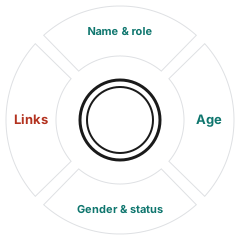
Tap a person and a four-part ring opens. Enter name, age, gender, and status with your finger.
Drag to connect
Drag the ring's left segment onto another person, pick a category and a relationship, and the link is drawn.
Save to Photos
Save the finished genogram to Photos as a high-resolution landscape JPG, with names shown or hidden.
The four-part ring
Tap to enter,
drag to connect
- TopName & roleCommon role chips, mark as client, delete
- RightAgeEnter an age on the number pad; it is shown as a birth year
- BottomGender & status□○◇ symbols, year of death, miscarriage, stillbirth and other pregnancy-related status
- LeftLinksTap for the list, drag onto another person to connect
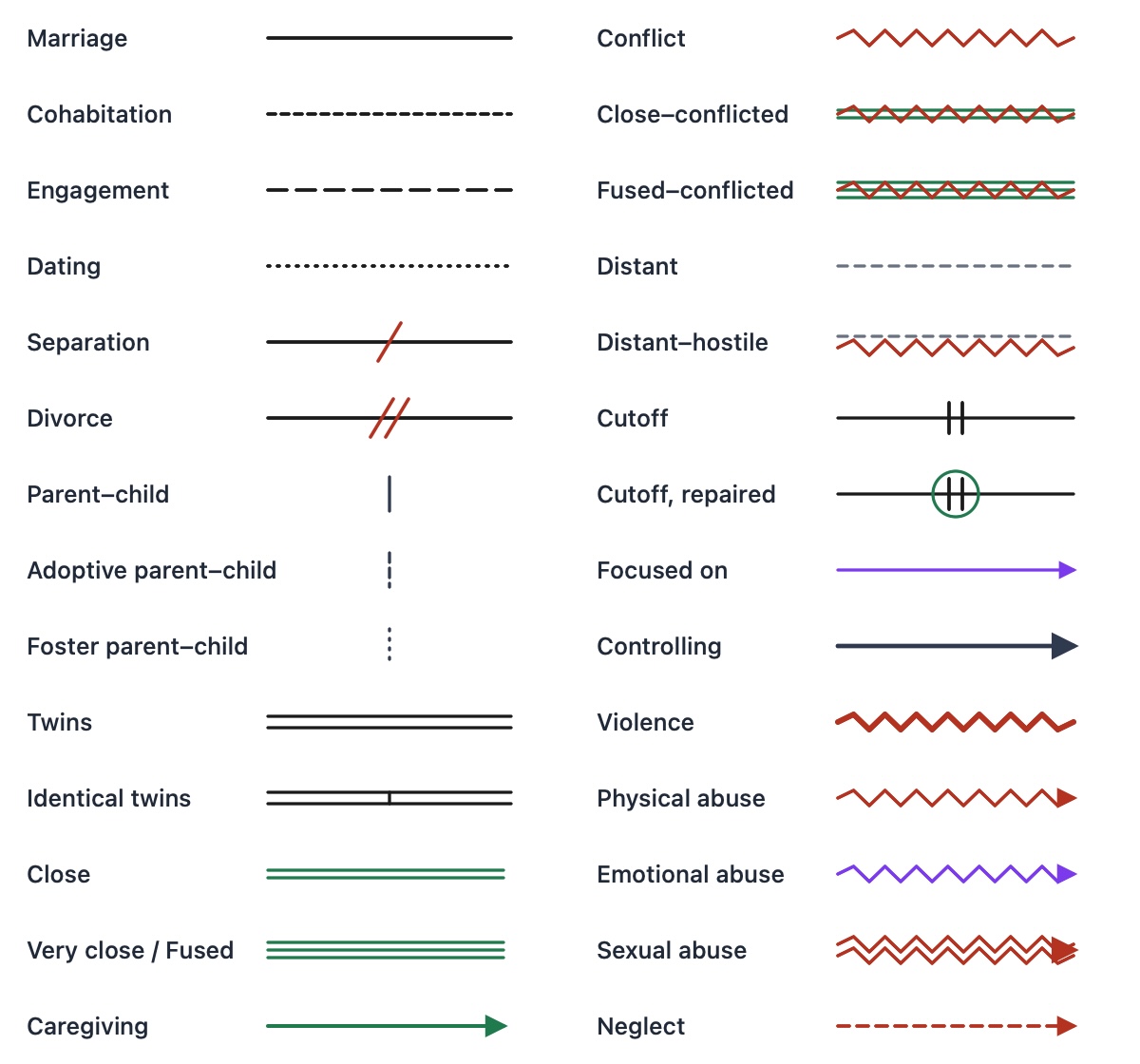
28 relationship lines
Standard genogram symbols
From marriage and divorce years to emotional lines and the direction of violence or abuse, choose from seven categories.
- Couples 6
- Parent & child 3
- Twins 2
- Close 3
- Conflict & distance 7
- Focus & control 2
- Violence & abuse 5
Privacy
Sensitive family stories
stay on your iPhone
Genograms hold names and markers like abuse or violence. So the app is built not to send them anywhere and not to keep them for long.
No account, no server
No sign-up or login, and no operator server. Genogram content is never sent anywhere.
24-hour temporary save
Work in progress stays on the device only: encrypted while locked, excluded from backups, deleted after 24 hours.
Hidden when you switch apps
Go to the Home Screen or open the app switcher and the genogram is covered, out of sight of people nearby.
Photos: add only
The app only adds JPGs to your photo library. It never reads your existing photos.
A free app supported by ads
Once a day you watch one ad when you start, and a small banner sits at the top of the drawing screen (portrait only). JPGs made with Save never contain ads. Ads are personalized only if you allow it in iOS's tracking prompt, and genogram content is never put in ad requests. More about ads and privacy